Back to Maintenance Manager for Manufacturing Main Menu
Printing a Work Order
Administrators and Technicians can print the work order details or save them as a PDF or other supported format in Maintenance Manager for Manufacturing (MMM).
To print a work order
-
Navigate to the
 (Work orders) page.
 -
Click a work order.
The work order panel opens.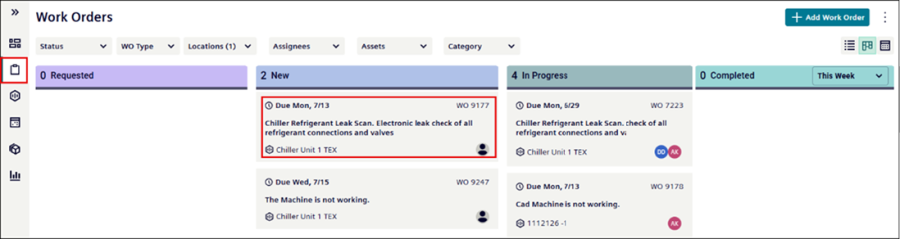
-
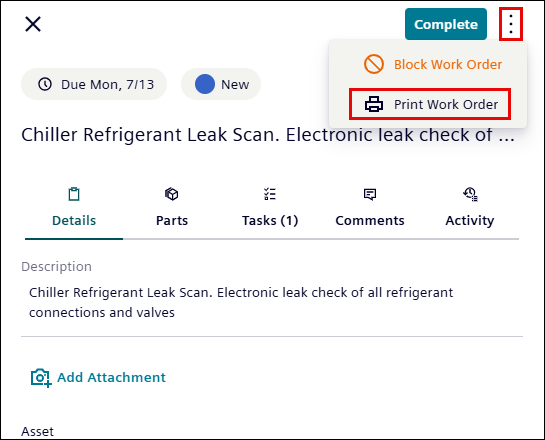
Click the
 icon at upper right corner of the work order panel.
 -
Click Print Work Order.
-
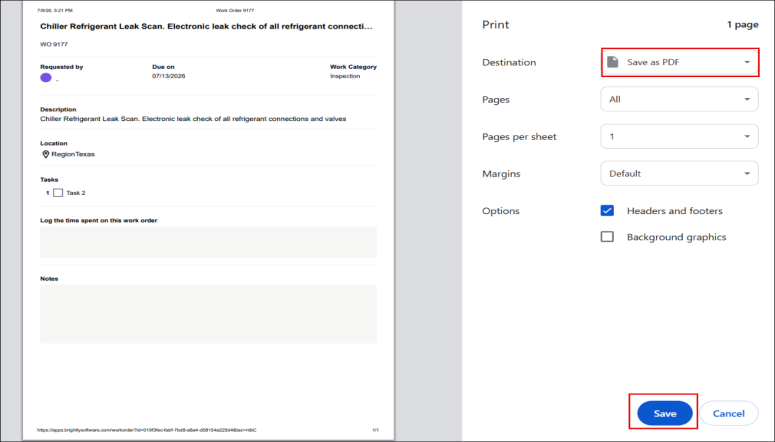
From the Destination drop-down list, select the desired output format.
-
Additionally, configure the following print settings, as required:
-
Pages
-
Page per sheet
-
Margins
-
Options
-
-
Click Save to print a work order in PDF.
-
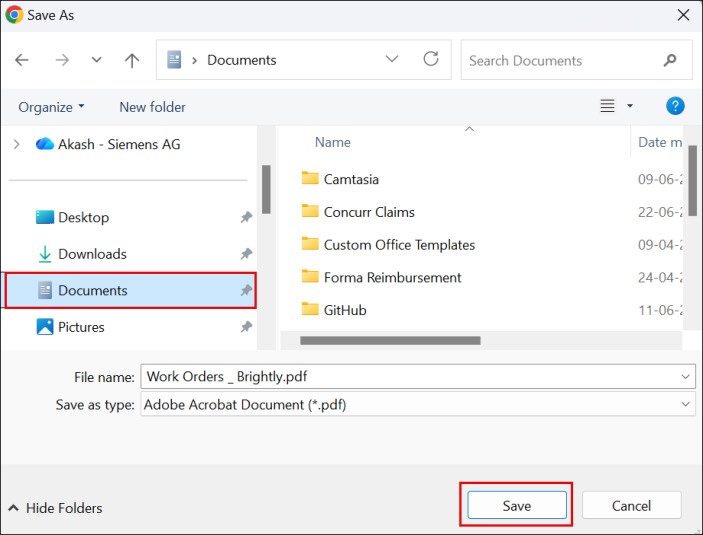
Browse to the desired location, and then select Save.
-
The work order is saved as a PDF file in the selected location.
